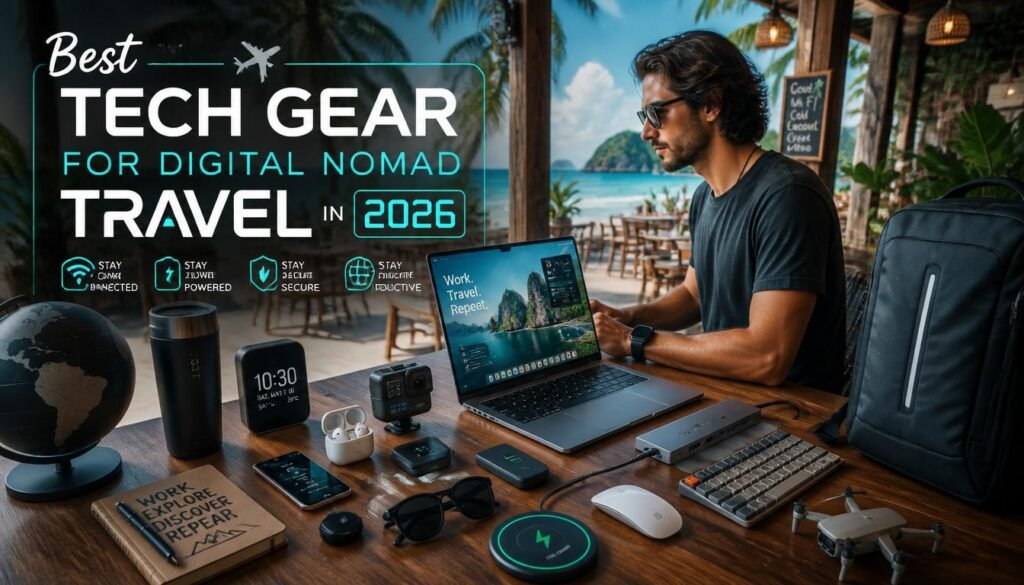
Trying to work remotely with a massive setup is a great way to ensure you spend your trip visiting local chiropractors instead of local sights. Let’s face it: hauling three different bricks and a tangled nest of cables just to answer Slack from a cafe in Bali isn’t a lifestyle, it’s a workout routine.
Here is the ultra-lean, high-performance tech kit for 2026 that gives you full workstation power without the luggage fees.
The Core Workstation Revolution:
The absolute foundation of my mobile office is the laptop, and the standard for what makes a machine travel-friendly has fundamentally changed. I remember the agony of carrying a four-pound workstation that required its own massive brick charger, which made my shoulders ache before I even cleared airport security.
Right now, my weapon of choice is the latest generation of the thirteen-inch Apple MacBook Air. It is incredibly slim, weighs less than three pounds, and runs cold without a single fan blade ticking inside the chassis. The battery efficiency is the real magic here because I can easily get fifteen hours of heavy text editing, web research, and spreadsheets out of a single charge. This level of battery endurance completely frees you from the tyranny of searching for wall outlets in crowded foreign cafes.
But a great laptop is only half the battle when you are staring at complex spreadsheets or editing multi-column content outlines for hours at a time. The trackpad is phenomenal for quick tasks, but long-term productivity demands proper peripherals. I used to pack a standard ergonomic mouse that looked like a plastic potato, which constantly created an awkward, bulging lump in my tech pouch.
This year, I completely replaced it with a folding mouse that utilizes an origami-inspired magnetic design. When it is tucked away inside my bag, it lays completely flat, measuring less than five millimeters thick. The moment I need to work, I snap the magnetic hinges together, and it instantly pops up into a rigid, highly responsive three-dimensional mouse with an incredibly precise infrared sensor. Pulling this out at a hotel lobby desk never fails to turn heads, and it slips directly into my front pocket when I pack up.
For the actual display setup, relying entirely on a small laptop screen can feel like looking through a keyhole when you are managing multiple project windows. I used to carry an entirely separate portable monitor that required its own fragile stand and a nest of connection cords.
My current configuration relies on a dual-purpose folding workstation keyboard that actually features a built-in display screen along the top edge. A single USB-C cable connects the entire unit to my laptop, providing a mechanical typing surface and an immediate secondary screen without adding any unnecessary bulk to my carry-on bag. It folds down flat, protects its own screen surface during transit, and sets up in less than ten seconds on any standard coffee shop table.
Power Architecture and Global Adaptability:
Nothing induces pure, unfiltered panic quite like watching your laptop battery icon turn red when you are in the middle of uploading a massive project from a train terminal in Prague. In my first year of travel, I carried an assortment of cheap, regional plug adapters that constantly wobbled out of the wall sockets, dropping power at the slightest vibration.
Your power strategy needs to be unified, robust, and completely independent of local infrastructure quirks. I built my entire power kit around a single, multi-port high-output wall charger that utilizes Gallium Nitride technology to pack immense wattage into a tiny footprint.
This single charging block outputs over one hundred watts of juice, which is more than enough to fast-charge my laptop, smartphone, and wireless headphones at the exact same time from one wall outlet. To handle the physical variance in international wall sockets, I pair this with a heavy-duty universal travel adapter that features a secure locking mechanism for the sliders. Cheap adapters will sag under the weight of a heavy charging block, but a premium universal adapter locks tight into the wall, ensuring a continuous flow of power whether you are plugged into a socket in London, Tokyo, or Sydney.
When you are completely away from a traditional grid, a high-capacity power bank is your absolute lifetime insurance policy. The rule for carrying external batteries on commercial flights is incredibly strict, meaning you cannot exceed a capacity of twenty-seven thousand milliampere-hours.
I carry a premium, airline-safe power bank that hits right at that maximum legal threshold, offering a massive two hundred and fifty-watt output capability. This device is not just for topping up a phone; it can completely recharge my laptop from zero to one hundred percent while I am sitting on a long-distance bus or working from a remote campground. The casing is ruggedized to handle drops, and the digital display gives me an exact readout of the remaining capacity and power draw down to the single digit.
Managing the physical cables for this setup used to be an absolute nightmare of tangled copper and frayed plastic. I solved this by switching entirely to universal charging cables that feature reinforced braided jackets and interchangeable magnetic heads.
Instead of packing six different wires, I carry two high-wattage cables that can shift from USB-C to Lightning or Micro-USB in a fraction of a second. This approach eliminates cable clutter entirely, saves precious physical space in my tech pouch, and ensures that I always have the correct connection type on hand regardless of what gear needs a quick power boost.
Digital Security and Connectivity Infrastructure:
You can have the most expensive computer in the world, but if your internet connection is slow or compromised, you are completely out of business. I will never forget the lesson I learned during my second year of traveling when I logged into an unencrypted public network at a local guesthouse to send a client invoice. Within twenty minutes, my session tokens were intercepted, and I spent the next three days on the phone with fraud departments trying to reclaim my digital footprint. Public Wi-Fi networks are a digital battlefield, and accessing them without a dedicated layer of defense is asking for complete disaster.
The absolute first line of defense for any serious remote professional is a premium Virtual Private Network service. A VPN acts as an encrypted tunnel for your data, scrambling your traffic so that anyone attempting to monitor the local network sees nothing but gibberish.
I keep my VPN configured to launch automatically the absolute second my devices detect an active internet connection. This utility preserves my security when logging into bank accounts, accessing client portals, or editing internal backend systems from public spaces. It also helps bypass regional content blocks, allowing me to maintain a stable, uniform workflow no matter what country I happen to be standing in.
While public networks are fine for basic tasks when paired with a solid VPN, you cannot rely on local coffee shops when a high-stakes video call is on the schedule. To guarantee my own connection stability, I travel with a pocket-sized mobile hotspot device that does not require physical SIM cards.
This hardware utilizes cloud-based SIM technology to automatically scan for and connect to the strongest cellular network available in over one hundred and seventy countries. If the local landline internet drops out during a storm, I simply press one button on my hotspot, and I have a dedicated, private high-speed connection up and running within sixty seconds. It is small enough to fit into the coin pocket of my jeans and provides up to twelve hours of continuous operation on its internal battery.
For my primary smartphone, I have completely abandoned the traditional practice of hunting down physical plastic SIM cards at airport kiosks after a long international flight. Local airport vendors love to overcharge exhausted tourists for terrible data packages that expire in a week.
Instead, I use an unlocked phone that fully supports electronic SIM technology. Before my plane even touches down on the tarmac of a new destination, I open an application on my phone, purchase a local data plan for a few dollars, and activate the profile. The moment the plane wheels hit the ground, and I turn off airplane mode, my device connects instantly to the local network at standard consumer rates, completely avoiding the airport crowds.
Audio Isolation and Acoustic Survival:
The dream of working from a beautiful, sunlit tropical café often collides with the reality of blaring espresso machines, screeching traffic, and loud tourists shouting over their breakfast orders. Trying to write deep, analytical text or conduct professional consulting calls in that kind of acoustic chaos is an exercise in pure frustration.
Acoustic isolation is not a luxury item when you live on the road; it is an absolute necessity for protecting your focus and maintaining a professional image during client communications.
My main defense mechanism against environmental noise is a premium pair of over-ear headphones equipped with top-tier active noise cancellation. These headphones use external microphones to analyze the ambient sound waves around me and instantly generate an inverted frequency that completely cancels out the background roar.
When I pull these over my ears inside a noisy airplane cabin, the deep, exhausting drone of the jet engines completely vanishes, replaced by absolute silence. The ear cushions are made from a plush memory foam that does not clamp too tightly against my head, which allows me to wear them for an eight-hour editing sprint without any physical discomfort.
For quick walks, casual exploration, or workout sessions, heavy over-ear headphones are far too bulky. For those scenarios, I carry a pair of compact wireless earbuds that fit snugly inside my pocket charging case.
The latest models feature incredibly smart adaptive audio processing that automatically adjusts the level of noise cancellation based on your surroundings. If I step off a quiet sidewalk onto a chaotic urban street, the earbuds instantly ramp up their cancellation power to block out the sudden spike in traffic noise. The built-in microphone arrays are tuned to isolate the human voice, ensuring that my clients hear me clearly even if I am walking through a windy public square during a call.
The final piece of my audio toolkit is a tiny Bluetooth audio transmitter that solves a very specific, incredibly annoying travel problem. Most commercial aircraft entertainment systems still rely on physical auxiliary jacks, meaning you cannot connect your premium wireless headphones directly to the seatback screen.
I plug this miniature transmitter into the airplane headphone jack, sync it to my wireless headphones via Bluetooth, and enjoy movies with full noise cancellation active. This layout removes the need to carry a dedicated pair of cheap, tangled wired earbuds just for flights, keeping my packing system completely streamlined.
Packing Logistics and Organization:
If you throw all this high-end hardware loosely into a standard backpack, you will end up with a chaotic, tangled mess of wires, scratched screens, and broken plastic clips within a month. Your packing system needs to be just as engineered as the electronics inside it.
I spent years experimenting with different bags before realizing that a standard top-loading backpack is the absolute worst choice for a digital nomad. If you need a specific cable that has slipped to the bottom of a top-loading bag, you are forced to unpack your entire life onto an airport floor just to find it.
My current travel setup revolves around a premium, carry-on compliant travel backpack that features a full clamshell opening design. This means the main zipper runs completely around the perimeter of the bag, allowing it to open completely flat like a suitcase.
The dedicated laptop compartment is heavily padded, suspended away from the bottom edges of the bag, and accessible via a separate water-resistant zipper. This design lets me slide my computer out for security screenings in two seconds flat without disturbing any of the other gear packed inside the main compartment.
Inside the backpack, absolutely nothing is allowed to float around freely. I consolidate every single wire, charging block, adapter, and memory card into a rigid, structured tech organization pouch.
This pouch uses internal elastic loops and mesh pockets to hold every item securely in its own designated location. When I sit down at a new desk, I simply pull the tech pouch out of my bag, unzip it, and lay it open on the table. I can see every tool instantly, and I never lose track of small adapters or memory cards because an empty loop tells me exactly what item is missing from the ecosystem.
To maximize the internal volume of the backpack, I rely heavily on ultra-lightweight fabric packing cubes to separate my clothing from my electronics. Rolling your clothes tightly and sealing them inside a zippered cube compresses the fabric down to half its original volume, preventing items from shifting around during transit.
Keeping your clothing locked inside its own modules ensures that even if a water bottle accidentally leaks inside your bag, your clean shirts and your sensitive electronic gear remain completely dry and protected.
Long-Term Maintenance and Gear Protection:
Investing in premium hardware is only step one; you must actively protect that investment from the harsh environmental conditions encountered during long-term global travel. I have watched friends lose thousands of dollars of equipment to sudden tropical downpours, fine desert dust, and accidental drops on concrete train platforms.
If your gear is your livelihood, you cannot afford to treat it carelessly. Every single piece of hardware in your kit needs a dedicated layer of physical protection.
I protect my laptop with a hard-shell protective case that features reinforced, impact-absorbing corners. This cover stays on the machine at all times, protecting the aluminum chassis from scratches when I am working on rough concrete outdoor tables or metallic airplane trays.
Inside the backpack, the laptop sleeve is lined with a soft, scratch-resistant faux fur material that keeps dust from grinding into the screen glass while I am walking through dusty environments.
Moisture is the absolute ultimate silent killer of modern electronics. If you are traveling through high-humidity regions like Southeast Asia or coastal Central America, the ambient moisture in the air can slowly condense inside your devices, causing corrosion on the delicate circuit boards over time.
I keep a handful of small silica gel moisture-absorbing packets tucked into my tech pouch and my laptop sleeve at all times. These small packets pull residual moisture out of the air inside your bag, keeping the microclimate around your electronics completely dry.
Finally, you must have an absolute worst-case scenario backup strategy for your data. Physical hard drives can fail if they are dropped or exposed to extreme heat during transit.
I maintain a strict dual-layer backup system that operates completely automatically. Every document, content draft, and client file is continuously synced to a secure cloud storage provider whenever my devices are connected to the internet.
Simultaneously, I carry an ultra-rugged external solid-state drive that is completely shockproof and water-resistant. Once a week, I plug this drive into my laptop and create an identical physical mirror image of my entire operating system. If my computer is ever lost, stolen, or destroyed by a spilled cup of coffee, I can buy a new machine, plug in my backup drive, and be back to work with zero data loss before the day ends.
Summary of the Ideal Setup:
Building the ultimate digital nomad tech kit is not about buying every single gadget on the market; it is about selecting a tight, highly efficient network of tools that work together perfectly. Every item must earn its place in your bag by delivering massive utility relative to its physical weight and volume. By prioritizing multi-functional tools, robust power accessories, and absolute digital security, you eliminate the technical friction that threatens your productivity on the road. Protect your gear, secure your connections, and you can comfortably run a highly profitable business from absolutely any corner of the map.
FAQs:
1. What is the single most important tech item for a digital nomad?
The laptop is your absolute most critical tool because it serves as the entire engine of your remote business.
2. How do I protect my personal data while working from public coffee shops?
You must use a premium virtual private network to encrypt your internet traffic and block local data interception.
3. Can I bring a high-capacity laptop power bank onto a commercial airplane?
Yes, as long as the total capacity of the power bank stays below twenty-seven thousand milliampere-hours.
4. What is the benefit of a clamshell-style backpack over a traditional bag?
A clamshell backpack opens completely flat like a suitcase, allowing you to access any piece of gear instantly without unpacking.
5. How do electronic SIM cards save money when traveling internationally?
They allow you to purchase cheap local data plans directly through an app, skipping overpriced airport kiosks entirely.
6. Why should I choose a folding mouse over a standard computer mouse?
A folding mouse packs completely flat to save space in your pouch and snaps into an ergonomic shape when needed.
